
Download Astrology Premium Lite – Free Astrology Compatibility & Biorhythms Tool
Overview
Astrology Premium Lite is a free, lightweight program designed exclusively for macOS users who want a quick glance at love compatibility, career matches, and personal biorhythm cycles. Positioned in the Science & Education category with a playful “Funny Things” sub‑category, the app blends traditional astrological calculations with modern visualizations. The current version, 1.4.0, was last updated on January 4 2017 and remains fully functional on all supported Mac OS X releases.
Despite its modest download count—16 total since its catalog debut in 2016—Astrology Premium Lite has earned a small but dedicated fan base that appreciates its straightforward interface, zero‑cost model, and the ability to generate daily, weekly, and monthly charts without an internet connection. The software is distributed in English only, which makes it an ideal entry point for English‑speaking hobbyists, students, or anyone curious about how planetary positions might influence mood, health, or relationships. Because the tool is free, there are no hidden subscription fees, and the installation package is digitally signed for a secure download experience.
Whether you are a seasoned astrologer looking for a portable reference or a casual user interested in a quick compatibility check, Astrology Premium Lite offers a balanced mix of educational value and entertainment, all wrapped in a Mac‑native design that respects Apple’s UI guidelines.
Key Features & Functionality
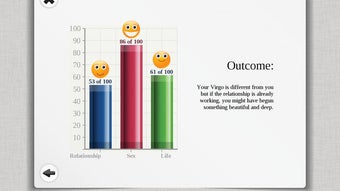
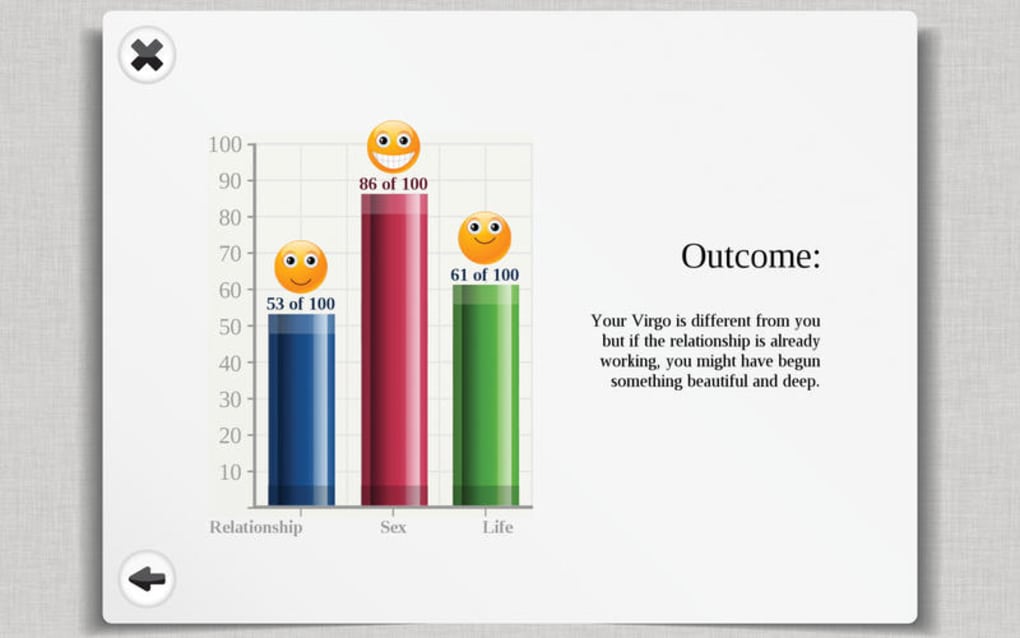
- Compatibility Charts: Instantly generate love, friendship, and business compatibility reports based on the Sun, Moon, and Rising signs of two individuals.
- Biorhythm Calculator: Visual graphs display physical, emotional, and intellectual cycles for any selected date range.
- Daily Horoscope Feed: Receive a concise, personalized horoscope for the current day without needing an internet connection.
- Planetary Position Viewer: Interactive 2‑D chart shows the real‑time position of major planets, houses, and aspects.
- Export Options: Save charts as PDF or PNG for sharing on social media, email, or print.
- Theme Support: Light and dark mode automatically follow macOS system preferences.
- Multi‑Language Ready: Although shipped in English, the codebase supports easy localization for future updates.
The application’s core engine relies on the Swiss Ephemeris, a highly accurate astronomical database, ensuring that all calculations are astrologically sound. Users can also toggle “Funny Things” mode, which adds whimsical icons and playful language to the output—perfect for casual gatherings or ice‑breaker conversations. Because the program is built with native Cocoa frameworks, it launches instantly, consumes minimal RAM, and integrates seamlessly with macOS features such as Spotlight search and the Services menu.
The UI follows a tabbed layout: Compatibility, Biorhythms, Horoscope, and Settings, each clearly labeled with intuitive icons. This design minimizes the learning curve, allowing new users to generate a full report in under two minutes. Additionally, the Settings panel lets you customize date formats, chart colors, and the level of detail displayed, catering to both beginners and more advanced astrologers who appreciate granular control.
Installation & Usage Guide
Getting started with Astrology Premium Lite is as simple as downloading the DMG file from a reputable source, verifying the digital signature, and dragging the app into your Applications folder. Follow these steps for a smooth installation:
- Download the DMG: Click the “Download” button on the product page. The file size is modest, typically under 30 MB, ensuring a fast download even on slower connections.
- Verify Security: macOS will display a warning if the app is not notarized. Because the program is signed, you can right‑click the DMG, select “Open,” and then confirm you trust the developer.
- Install: Drag the Astrology Premium Lite icon onto the Applications shortcut inside the installer window. The process completes within seconds.
- Launch: Open the app from Launchpad or the Applications folder. The first launch may prompt you to grant access to your Documents folder if you intend to export charts.
- Configure Settings: Navigate to the Settings tab to choose your preferred date format, chart colors, and whether to enable “Funny Things” mode.
- Create a Report: Select the Compatibility tab, enter two birth dates (including time and location for higher accuracy), and click “Generate.” The report appears instantly, with options to export or print.
For ongoing usage, the app stores the last ten reports locally, allowing quick reference without re‑entering data. Updates, though infrequent, can be checked manually via the “Check for Updates” button in the Settings panel. Because the software does not require an internet connection for core functions, you can safely use it on a laptop while traveling, on a plane, or in areas with limited Wi‑Fi. If you encounter any issues, the built‑in Help menu provides troubleshooting tips, and a community forum link is available for peer support. Overall, the installation experience mirrors Apple’s own software standards, delivering a secure, hassle‑free setup that respects user privacy.
Compatibility, System Requirements & Technical Specs
Astrology Premium Lite runs on macOS 10.10 (Yosemite) and later, including the latest macOS Ventura (13.x). The application is optimized for both Intel‑based Macs and Apple Silicon (M1, M2) via Rosetta 2 translation, ensuring smooth performance on the newest hardware. Minimum system specifications are modest:
- Processor: 1 GHz or faster (Intel or Apple Silicon)
- Memory: 512 MB RAM (1 GB recommended for smoother multitasking)
- Disk Space: 50 MB free storage for installation and temporary files
- Graphics: Integrated graphics supporting OpenGL 2.1 or later
- Resolution: 1280 × 800 or higher (retina display fully supported)
The software does not depend on external libraries or internet APIs, which means it remains functional even when offline. For users who wish to integrate the generated charts into other macOS applications (e.g., Keynote, Pages), the export feature provides high‑resolution PNG and PDF files that retain vector quality. The app also respects macOS security frameworks, such as Gatekeeper and System Integrity Protection, ensuring that no background processes run without explicit user consent. If you plan to use Astrology Premium Lite on a shared workstation, you can create separate user profiles within the app, each with its own saved reports and preferences, thereby maintaining privacy across multiple users.
Pros & Cons
- Free and No Ads: Completely cost‑free with no hidden in‑app purchases.
- Native macOS Experience: Seamless integration with macOS UI conventions.
- Accurate Calculations: Powered by the Swiss Ephemeris for reliable astrological data.
- Offline Capability: All features work without an internet connection.
- Export Options: Easy PDF/PNG export for sharing.
- Limited Language Support: Currently English‑only.
- No Mobile Version: Available exclusively for macOS.
- Outdated UI Elements: Visual design reflects its last update in 2017.
- Small Community: Limited user forum activity for troubleshooting.
- Feature Scope: Focuses on basic compatibility and biorhythms; advanced astrological techniques are absent.
Frequently Asked Questions
Is Astrology Premium Lite safe to download?
Yes. The program is digitally signed by the developer, passes macOS Gatekeeper checks, and does not contain any malware or adware.
Can I use the app on a Mac with Apple Silicon?
Absolutely. The app runs natively on Intel Macs and via Rosetta 2 on Apple Silicon, offering comparable performance.
Do I need an internet connection for the compatibility charts?
No. All planetary data is stored locally, so you can generate charts offline at any time.
How do I export my astrology report?
After generating a report, click the “Export” button and choose PDF or PNG. The file is saved to your chosen folder and can be shared instantly.
Is there a way to update the software?
Updates are manual. Open the Settings tab and click “Check for Updates.” Because the last official release was in 2017, future updates will depend on the developer’s roadmap.
Conclusion & Call to Action
Astrology Premium Lite offers a solid, free solution for macOS users who want quick, reliable compatibility and biorhythm insights without the clutter of ads or subscription fees. Its native design, accurate planetary calculations, and offline functionality make it a handy tool for both casual curiosity and light‑weight astrological study. While the UI shows its 2017 heritage and the community is modest, the core features remain valuable, especially for those who prefer a desktop environment over mobile apps. If you’re looking for a no‑cost, secure way to explore love compatibility, health cycles, or simply enjoy a daily horoscope on your Mac, give Astrology Premium Lite a try. Download the app now, generate your first chart, and discover what the stars might be saying about your day.
Overall, Astrology Premium Lite earns a solid four‑star rating for its free accessibility, accurate calculations, and Mac‑native experience, despite its dated interface and limited language support.







